
BRS Golf is a popular system used by many golf clubs around the world, especially in places like the UK and Ireland. It helps clubs run smoothly and makes life easier for members like you. The main app people call the BRS app, BRS Golf app, or BRS booking app lets you book tee times fast from your phone.
This article explains everything in very easy English. You will learn what the app is, why it is good, how to download it, how to use it, and more tips. By the end, you can start using it today without any trouble.
What Is the BRS Golf App?
The BRS Golf app is a free mobile application made for golf club members. It is the easy way to book tee times at your golf club. Many clubs use BRS Golf as their main booking system because it is trusted and works well.
BRS stands for a company that helps golf clubs with technology. They have the world’s number one tee sheet system. More than 3,500 golf clubs in over 14 countries use it. In the UK and Ireland alone, more than 670,000 members use their tools.
The app is officially called the BRS Golf Members App. It connects directly to your golf club’s system. This means you see real tee times, available slots, and club rules right on your phone.
There is also a separate BRS Golf Live Scoring app for entering scores during competitions. But when people say BRS app or BRS booking app, they usually mean the main one for booking tee times.
Why Use the BRS Booking App?
Using the BRS Golf app makes golf more fun and less stressful. Here are some big reasons why golfers love it:
- Book tee times anytime, anywhere – No need to call the club or wait in line. Do it from home, work, or even while traveling.
- See available times quickly – The app shows open slots at a glance. You can see who else is playing too.
- Book for casual rounds or competitions – Easy to sign up for fun games or official events.
- Add your golf buddies – Make a list of friends at the club. When you book, you can add them fast without typing names every time.
- View your bookings and history – See what you have coming up. Add them to your phone calendar so you never forget.
- Get updates from your club – Some clubs send news, changes, or special offers through the app.
- Save time and avoid mistakes – No more wrong bookings or lost paper notes.
Many members say it changed how they play golf. They book more often because it is so simple. Clubs like it too because it reduces phone calls and helps fill tee times better.
How to Download the BRS App Easily
Downloading the BRS app is very simple. It is free and safe. Follow these steps:
For iPhone (iOS):
- Open the App Store on your phone.
- In the search bar, type “BRS Golf” or “BRS Members App”.
- Look for the app by BRS Golf. It has a logo with golf themes.
- Tap “Get” or the download button.
- Use your Apple ID password or Face ID/Touch ID if asked.
- Wait for it to install. It takes only a minute or two.
For Android phones:
- Open the Google Play Store.
- Search for “BRS Golf” or “BRS Members App”.
- Find the official app from BRS Golf.
- Tap “Install”.
- It will download and install automatically.
Important tips for download:
- Make sure your phone has a good internet connection (Wi-Fi is best).
- Your phone needs to be updated. For iPhone, iOS 10.3 or higher. For Android, version 11 or higher works best.
- If you cannot find it, search exactly “BRS Golf” – not just BRS.
- It is free. Do not pay for any “premium” version from other sites.
- Always download from the official App Store or Google Play. This keeps your phone safe.
After download, open the app. You will need to register or log in with details from your golf club.
How to Register and Set Up the BRS Golf App
Most clubs send you an email or tell you how to register. Here is the usual way:
- Open the app after installing.
- You may see a welcome screen. Tap to start.
- Enter your email or member number that your club gave you.
- Some clubs let you sign up right in the app. Fill in your name, email, and club details.
- Create a password. Make it strong but easy to remember.
- Verify your email if asked – check your inbox and click the link.
- Once in, the app connects to your club automatically.
If your club uses BRS, they will give you a link or code. Ask the club pro or office if you have trouble. They help members set it up all the time.
Key Features of the BRS Golf Booking App
The app has many helpful features. Here are the main ones explained simply:
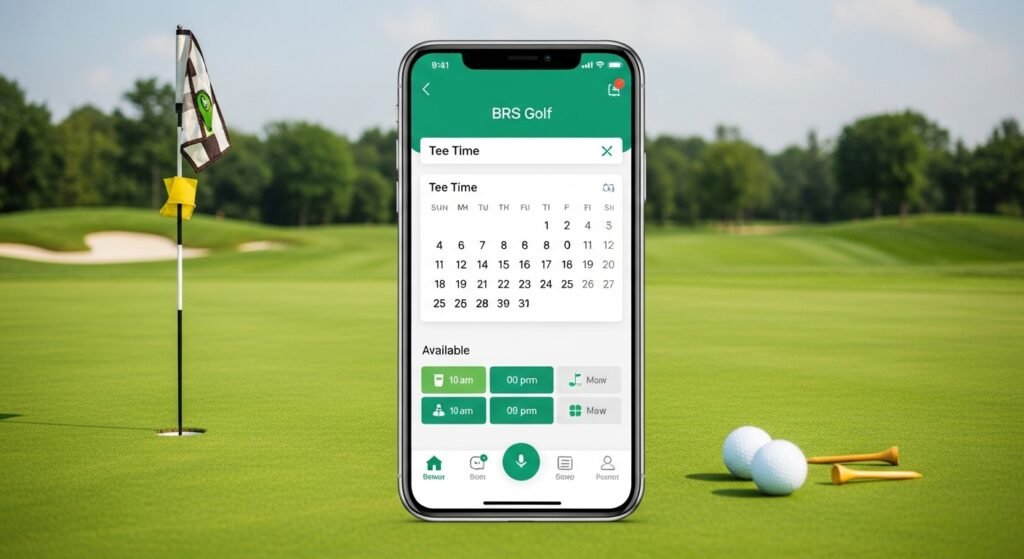
Easy Tee Time Booking See the tee sheet like a calendar. Pick a day, time, and how many holes (9 or 18). Book for yourself or a group.
Golf Buddies List Add friends once. Then, when booking, just tap their names. It saves time and makes group golf easy.
Competition Entry See upcoming events. Enter yourself or your group. Some clubs let you pay entry fees in the app.
View Who Is Playing See other bookings. Find out if friends are out or join busy times.
Booking History and Calendar Sync See past rounds. Add future bookings to your phone calendar with one tap.
Live Updates Get notifications if a booking changes or if your club has news.
Score Entry (with separate app) For competitions, use the BRS Golf Live Scoring app to enter scores live. It shows leaderboards in real time.
These features make the app very useful every day.
Step-by-Step Guide to Booking a Tee Time with BRS App
Here is how to book your next round:
- Open the BRS Golf app.
- Log in with your details.
- Go to the booking section (usually the main screen or “Book Tee Time”).
- Pick the date you want to play.
- Look at available times. Green slots are free.
- Tap the time you like.
- Choose number of players (you + friends).
- Add buddies from your list or type names.
- Check if it’s casual or competition.
- Confirm the booking.
- You get a confirmation. It saves in your app.
To cancel or change: Go to your bookings, tap the one you want, and follow the options. Do it early to follow club rules.
Tips for Getting the Most from Your BRS App
- Check the app often for last-minute openings.
- Book early for busy weekends or good weather days.
- Update the app when new versions come out. It gets better features.
- If you have trouble, contact your golf club first. They know the setup.
- Use Wi-Fi for faster loading.
- Add the app to your home screen for quick access.
- Tell your golf friends about it so you can book together easily.
Common Questions About the BRS App
Is the BRS app free? Yes, completely free for members.
Can visitors use it? Usually no, it’s for club members. Visitors book through the club website or pro shop.
What if my club does not use BRS? The app works only if your club uses the BRS system. Ask your club.
Is it safe? Yes, official app from trusted company. Use strong password.
Can I use it on computer? There is a member website too. But the app is best on phone.
Why the BRS Golf App Is a Top Choice for Golfers
Many golfers say this app is one of the best things for club play. It saves time, reduces stress, and lets you focus on enjoying golf. Clubs trust it because it runs smoothly with very little downtime.
With more people playing golf, tools like this help everyone get on the course more. The BRS booking app is simple, fast, and full of useful features.
If your club uses BRS, download it today. You will wonder how you played without it!
Disclaimer:
This article is just for information. It is not an ad or promotion. We do not earn money from BRS Golf. The information may change, so use the app at your own risk. Follow your golf club’s rules.
Explore More
- TRL App – Easy Guide, Features & Free Download
- NHS Loop App – Download & Login Guide for Loop App NHS
