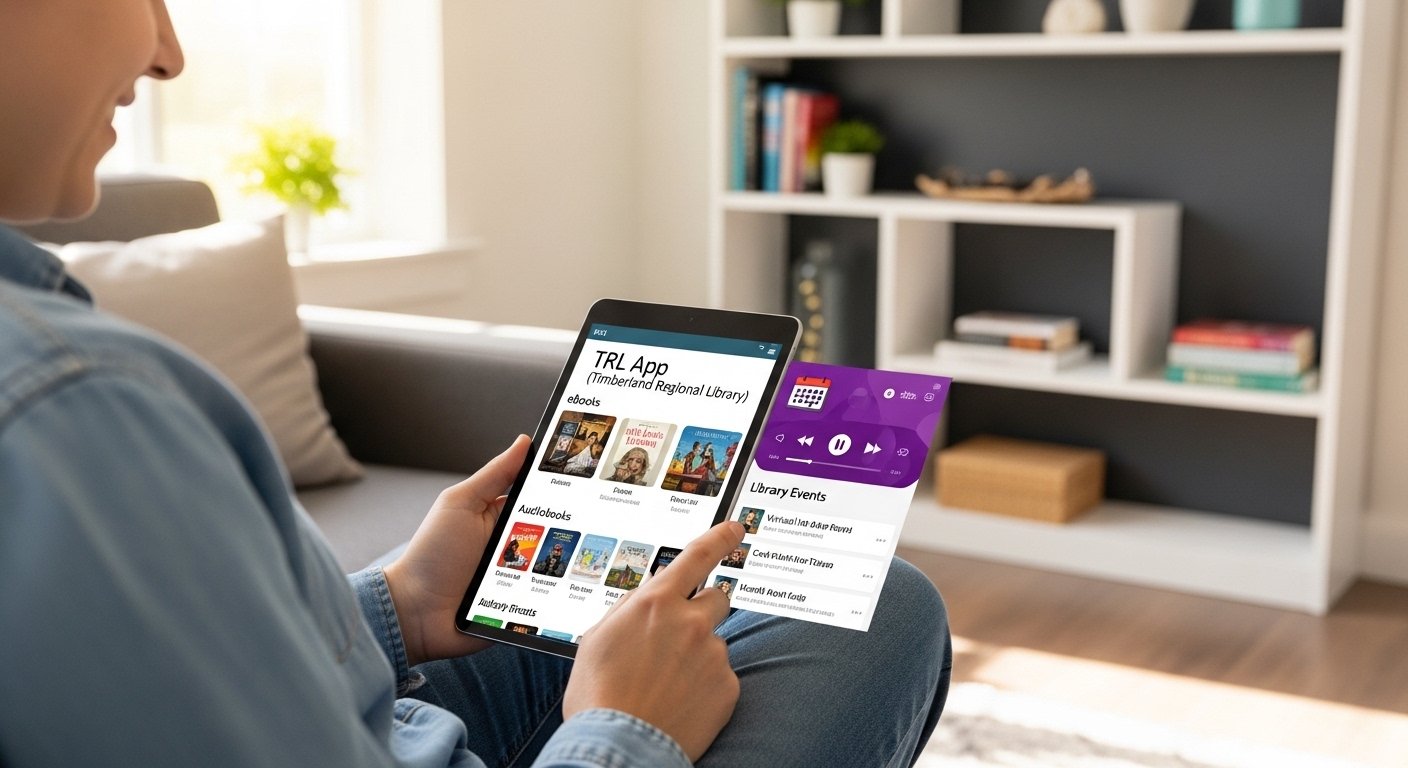
Do you love reading books but find it hard to visit the library every time? The TRL App makes reading simple and fun right from your phone or tablet. This app comes from Timberland Regional Library (TRL), a trusted public library system. It lets you borrow books, eBooks, audiobooks, movies, and magazines without going anywhere. Best of all, it is free to use if you have a library card.
In this guide, we explain everything about the TRL App in easy words. You will learn what it is, its best features, how to download it safely, how to use it step by step, and why so many people love it. Let’s start!
What is the TRL App?
The TRL App (also called TRL Go) is the official mobile app of Timberland Regional Library. This library serves many areas with free books and learning resources. The app brings the whole library to your phone.
With just a few taps, you can:
- Search for any book or movie.
- Borrow digital items like eBooks and audiobooks.
- Renew your borrowed items.
- Check what you have at home.
- Find events and programs at the library.
It is perfect for busy people, students, parents, and anyone who enjoys stories. The app works on both Android phones and iPhones. It has a clean design that is easy for beginners.
Timberland Regional Library created this app to help more people enjoy reading. They updated it to make it faster and better. Many users give it high ratings because it is simple and helpful.
Why Use the TRL App? Main Benefits
Using the TRL App has many good points. Here are the top reasons people choose it:
It saves time. You do not need to drive to the library. Everything comes to your phone.
It is free. No extra cost beyond your library card (which is also free for eligible people).
It helps you read more. You can borrow eBooks and audiobooks anytime, even at night.
It works offline for some items. After you download an eBook or audiobook, you can read or listen without internet.
It keeps you organized. The app shows your due dates so you never forget to return items.
It connects you to the community. You can see library events, story times, and fun activities.
Many families use it for kids’ books. Parents love how easy it is to find stories for children.
The app is safe and private. Your reading choices stay between you and the library.
Key Features of the TRL App
The TRL App has many useful features. Let’s look at the most important ones in detail.
Easy Search for Books and More
You can search by title, author, or topic. Type “Harry Potter” or “cooking recipes,” and the app shows results fast. You can filter by eBooks only, audiobooks, or movies.
There is also a barcode scanner. If you see a book in a store or friend’s house, scan its barcode with your phone camera. The app tells you if the library has it.
Borrow and Download Digital Items
Borrow eBooks and audiobooks with one tap. They come to your app through partners like OverDrive or Libby (but the TRL App makes it simple in one place).
After borrowing, download the item to read offline. eBooks work in the app’s reader, which has options to change font size, color, and brightness.
Audiobooks play like music. You can speed up or slow down the voice, set sleep timers, and jump chapters.
Manage Your Library Account
See all your checked-out items in one list. Renew them if you need more time. Place holds on popular books that are not free right now. The app tells you when your hold is ready.
You stay logged in, so no need to enter password every time (but it is secure).
Find Library Events and Locations
The app shows upcoming events like book clubs, craft classes, or story hours. Use the built-in map to find the nearest library branch.
Some users say the GPS feature helps when visiting in person.
Wish List and Recommendations
Save books you want to read later in a wish list. The app sometimes suggests new titles based on what you like.
Support for Different Devices
Works great on phones and tablets. The screen adjusts to small or big sizes. It supports dark mode for night reading.
These features make the TRL App stand out as one of the best library apps.
How to Download the TRL App – Step by Step
Downloading is free and safe. Follow these easy steps.
For Android Phones (Google Play Store)
- Open the Google Play Store app on your phone.
- In the search bar, type “TRL Go” or “Timberland Regional Library”.
- Look for the app by “TRL Timberland Regional Library”. It has a nice book icon.
- Tap “Install”. It downloads in a few seconds (depending on your internet).
- Once done, tap “Open” to start.
The app is small in size, so it does not take much space.
For iPhone or iPad (Apple App Store)
- Open the App Store on your device.
- Search for “TRL Go”.
- Find the one from Timberland Regional Library.
- Tap “Get” (or the cloud icon if you downloaded before).
- Use your Face ID, Touch ID, or password to confirm.
- The app installs quickly. Tap to open.
Always download from official stores (Google Play or App Store) to avoid fake apps.
After Download – First Setup
When you open the app first time:
- Choose your language if asked (English is default).
- Tap “Sign In” or “Get Started”.
- Enter your library card number and PIN (ask at library if you forget).
- Allow notifications if you want reminders for due dates.
Now you are ready to explore!
How to Use the TRL App – Simple Guide for Beginners
Here is a beginner-friendly walkthrough.
Step 1: Search and Find Items
Open the app. Tap the search icon (magnifying glass). Type what you want. Tap a result to see details like summary, reviews, and formats (eBook, audiobook, etc.).
Step 2: Borrow an Item
If it is available, tap “Borrow”. For holds, tap “Place Hold”. You get a confirmation.
Step 3: Read or Listen
Go to “My Loans” or “Shelf”. Tap the item. For eBooks, it opens the reader. For audiobooks, it starts playing.
Use the menu to adjust settings like font or speed.
Step 4: Return Items
Digital items return automatically on due date. No late fees!
Step 5: Renew or Manage Holds
In “My Loans”, tap renew for more time. In holds, see your position in line.
If you have questions, the app has a help section or links to the library website.
Who Can Use the TRL App?
Anyone with a valid Timberland Regional Library card can use it. The library serves people in certain areas (like parts of Washington state in the US). If you live there or have a card, great!
If you do not have a card yet, visit a TRL branch or check their website (trl.org) for how to get one. Many libraries offer cards to residents, and sometimes digital sign-up.
The app is free forever. No hidden payments.
Is the TRL App Safe and Good?
Yes, 100% safe. It comes from an official public library. No ads bother you. Your data is protected like other library services.
Users love it. On app stores, it has good ratings (around 4.6 stars). People say it is easy, fast, and reliable.
Compared to other apps, TRL Go combines search, borrowing, and events in one place.
Common Questions About the TRL App
Do I need internet all the time? No, only to borrow or search. After download, read offline.
What if I lose my phone? Your account is safe. Log in on a new device.
Can kids use it? Yes, with parent card or kids’ section. Great for children’s books.
Is it only for books? No, also movies, magazines, music, and more.
What if the app has a problem? Update it or contact library support via trl.org.
Final Thoughts – Why Download the TRL App Today?
The TRL App changes how you enjoy reading. It brings free books, stories, and learning to your pocket. Whether you want to read at home, listen while walking, or find new adventures, this app helps.
It is simple, free, and made by people who care about sharing knowledge. Download it now and start your reading journey!
If you have a library card, open your app store and search “TRL Go” today. Happy reading!
Disclaimer:
This article is only for information and learning. It is not a promotion, advertisement, or affiliate post. We do not sell, earn, or get any money if you download or use the TRL App. All information is written from our research and personal understanding. We are not responsible for any problems, issues, or losses from using the app. Always follow the official app and library instructions.
Explore More
